YouTube
Deep AI when accessible
Share → MemoryStore. An accessible transcript or other usable source data can support chapters, summary, tags, and search inside what was said. Availability varies by video.
Different minds look for different things. Choose your lead perspective below.
Keep the record, captured knowledge, and any media you actually provide.
Imagine saving a recipe video and the creator later deletes it. MemoryStore can retain the card and successfully captured knowledge. The video itself remains independent only when you upload it, or MemoryStore otherwise legitimately receives and stores it. Eligible uploads can be placed in your connected Google Drive.
Save in one tap directly from your feed.
Usually, organizing videos means creating folders, naming tags, and typing titles. It feels like chores. With MemoryStore, you hit Share on a source and choose the app. A card appears immediately; deeper transcript, summary, and tags are prepared when the source or an uploaded file is accessible.
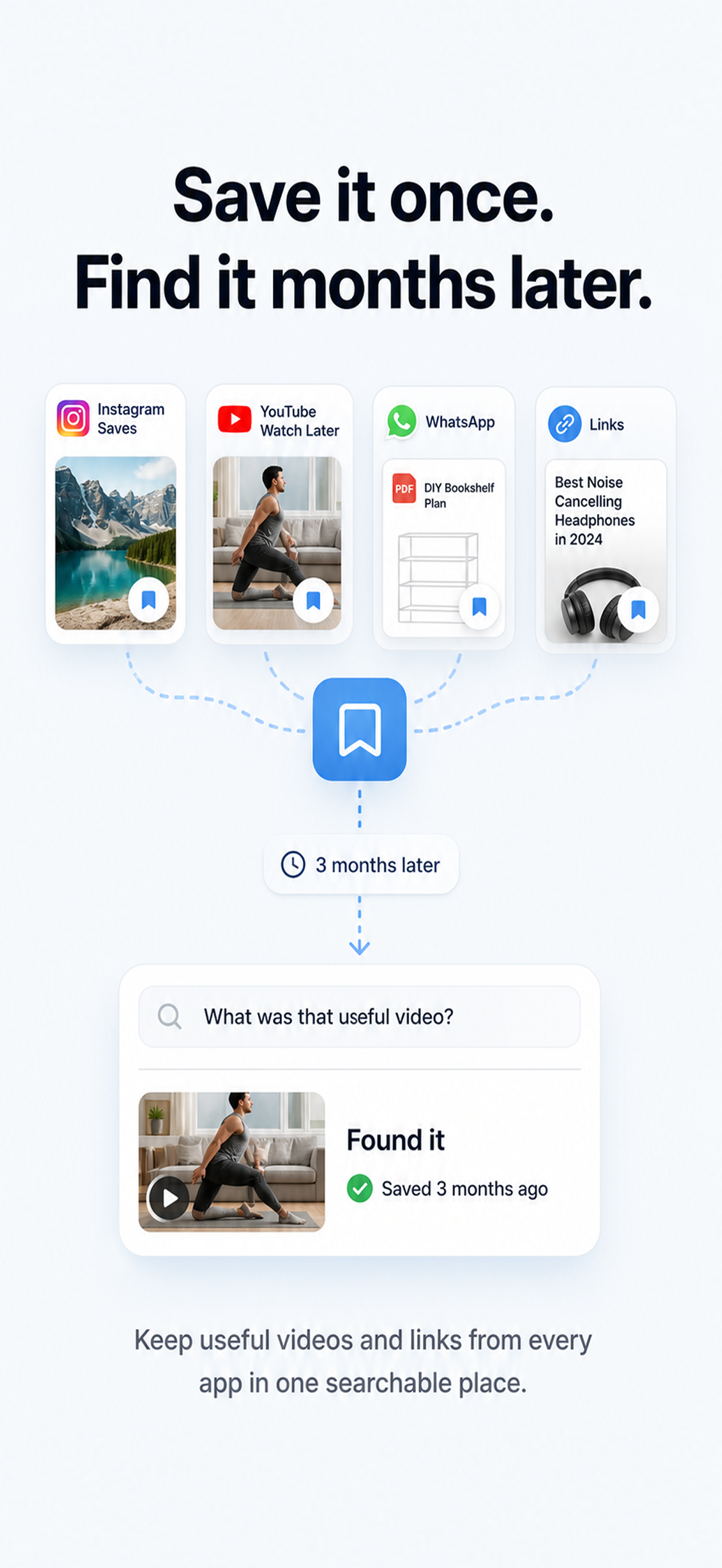
Clear the mental load of messy bookmarks.
Think of your brain like a cluttered room. You know you saved a video about "how to fix a leaky sink", but you can't find it in a list of 500 random links. MemoryStore clears that stress. You can chat with your library like a friend. Just ask: "What did that plumber say about the rubber seal?" Prepared content can return an answer with source context for you to check.
You hit Share, a library record appears, and MemoryStore prepares deeper searchable context when it has usable text, a transcript, or the media file.
Open video, hit Share, pick MemoryStore.
While viewing a useful item in a supported app, tap Share and choose MemoryStore. A library record can keep the source URL, saved time, your note, and whatever creator, caption, cover, transcript, or media context the source actually provides.
Mention @memorystore.in with a unique note; capture depth still depends on source access.
When this receive flow is available, mention @memorystore.in with a unique note in a post or Reel comment. MemoryStore can create a record with the context it is allowed to receive. If the media is restricted, deeper transcription or visual analysis may require an upload.
AI can prepare a transcript, summary, visual description, and tags when enough content is available.
When MemoryStore has usable text, a transcript, or a permitted media file, it can prepare searchable context such as a transcript, visual description, summary, key points, and tags. These outputs can contain mistakes. If a platform does not expose enough content, uploading an allowed file can enable deeper preparation.
Type a keyword or ask a question to find it.
Try a remembered phrase, idea, object, or problem such as "the recipe with yellow lemons" or "that podcast about money." MemoryStore can rank matching prepared cards using available titles, notes, transcripts, summaries, tags, visual descriptions, and semantic meaning. Timestamps can be shown when the prepared source provides them.
Ask questions about the context prepared for an individual video.
Ask questions using the transcript, summary, key points, and other context prepared for a video. Verify quotations and consequential details against the source.
Ask questions about successfully prepared saves and receive answers from their available context. Check important details against the original source.
Safari and Chrome capture implementations and official links exist. Verify current store availability when a browser extension is essential to your workflow.
Semantic search can find prepared material across platforms by meaning. Match quality depends on source access, successful processing, and what you remember.
MemoryStore can infer links among processed items that discuss similar ideas across creators, platforms, and days. The graph is prepared asynchronously, and inferred relationships are useful clues rather than proof.
Some sources restrict media access, so MemoryStore provides an upload path for files you are allowed to use.
Instagram, TikTok, and other platforms can limit what a third-party app is allowed to receive. MemoryStore keeps the available record and does not describe a link as a media copy when the file was never provided.
When you save a Reel, MemoryStore keeps the link and available cover, caption, and source context. If deeper transcript, semantic search, visual analysis, or chat requires the media, the card can ask you to upload an allowed copy.
MemoryStore can create a deliberately selected AI Context bundle or an approved MCP connection. The receiving assistant can use the context you expose; its own provider policy still applies.
See a clear status when a supported source is detected as deleted, archived, expired, or restricted. A media copy remains available only when MemoryStore actually received and stored one.
Toggle between a highly polished, warm cream light mode and a deep dark mode tailored for late-night research.
Keep logs of which saves you have actually completed. Check off recipes or workouts and watch your progress stats.
Understand your consumption habits. See breakdown charts of topics, platforms, and time spent learning from your saved library.
Connect with other power users, share workflows, suggest new features, or report bugs directly from within the app.
Try it — no signup
These are real videos saved in MemoryStore. Tap a question — none of these words are in the title. It heard them anyway.
You never typed those words. MemoryStore did the listening.
Try it on your own saves →Some platforms let third-party apps read what's inside their videos. Some don't. Here's exactly what you get on each one — no marketing wiggle.
Share → MemoryStore. An accessible transcript or other usable source data can support chapters, summary, tags, and search inside what was said. Availability varies by video.
Share → MemoryStore. Preserve the link and available caption, cover, creator, and saved time. Upload an allowed copy when you want deeper transcript and visual processing.
Same source-dependent principle as Instagram. Available context can be saved; upload an allowed copy for deeper transcript and visual processing.
Save the post URL and available text, author, or media reference. Upload the video if you have the right and want it prepared for deeper search.
Use browser capture on desktop. Available post text and author context can be saved; upload permitted video when deeper AI preparation matters.
Upload a supported video file directly. Within plan limits and after consent, it can be transcribed, visually described, tagged, summarized, and placed in a connected Google Drive.
Why the difference? Each platform exposes different text, transcript, metadata, and media access. MemoryStore preserves what it can legitimately receive and asks you for an upload when a deeper result requires the file.
MemoryStore includes Model Context Protocol (MCP) account-linking and retrieval implementations. The live client and tool surface can vary by deployment, so verify the current connection before depending on it for a workflow.
Use the available account-linking flow with a compatible client. The client receives context returned for approved tool calls, and the external service applies its own data policy.
When the search tool is available, a compatible client can request matching saved cards. Results depend on source access, successful processing, and the quality of the query.
For a successfully prepared source, a tool can return available transcript, summary, and key points. Treat the resulting AI answer as an interpretation and check important claims against the source.
Thought Connect is a reasoning workflow that can retrieve relevant memories for something you are planning, deciding, learning, or creating. Match strength is a retrieval signal, not proof that a source is correct.
Implementation and official client links exist, but the live tool set should be verified before a time-sensitive recommendation. Check mcp.memorystore.in or the current ChatGPT listing.
These features are live right now — they just haven't made it to the homepage until today.
MemoryStore has been added to ChatGPT Apps! Search and converse with your saved library directly inside ChatGPT. Get the app →
Long-press any card to enter multi-select. Delete, move to a group, or generate one share link for multiple cards in a single tap.
Save links on the subway or in airplane mode. MemoryStore queues them and syncs the moment you're back online. Nothing gets lost.
Swipe through your saved reels and shorts full-screen — the TikTok experience, but every clip is from your own library.
Open MemoryStore on your laptop, scan the QR code with your phone, and you're signed in. No password typing.
Triple-tap the back of your iPhone or say "Hey Siri, save to MemoryStore" to capture the current Safari tab. Personal shortcut token included.
Pick your AI model per conversation. Attach groups, toggle video-only mode, or combine your library with web search for extended research.
Not happy with the auto-summary? Re-run AI on any card with your own instruction — "extract exact ingredients" or "find the pricing model mentioned."
See every device signed into your account. Sign out your old laptop from your phone in one tap.
Tags like "fitness", "workout", and "gym" can cluster together — merge them in one tap to reduce fragmentation in your library.
MemoryStore can keep the library record and successfully captured knowledge. The media itself remains independent only when MemoryStore legitimately received and stored a copy, such as an allowed upload.
When creators delete or archive posts, they disappear from your collections silently.
Eligible uploaded files can be placed in your connected Google Drive. A link alone cannot create a backup file that MemoryStore never received.
If an account goes private, the bookmarked link can stop playing or exposing its original context.
Successfully prepared transcripts, extracted text, summaries, and tags can remain useful even when the source changes. They can still contain AI or transcription errors.
Platform collections often glitch, failing to load older bookmarks as you scroll.
Cards show whether work is queued, uploading, processing, ready, restricted, failed, expired, or recently deleted, so you know when a save needs attention.
Searching original captions fails when you can't recall the exact text.
Search available transcripts, extracted text, notes, summaries, tags, and semantic meaning. Results depend on what the source made accessible.
Six things we built, instead of forty we didn't.
You don't need to remember the title. Just type how you'd describe it to a friend.
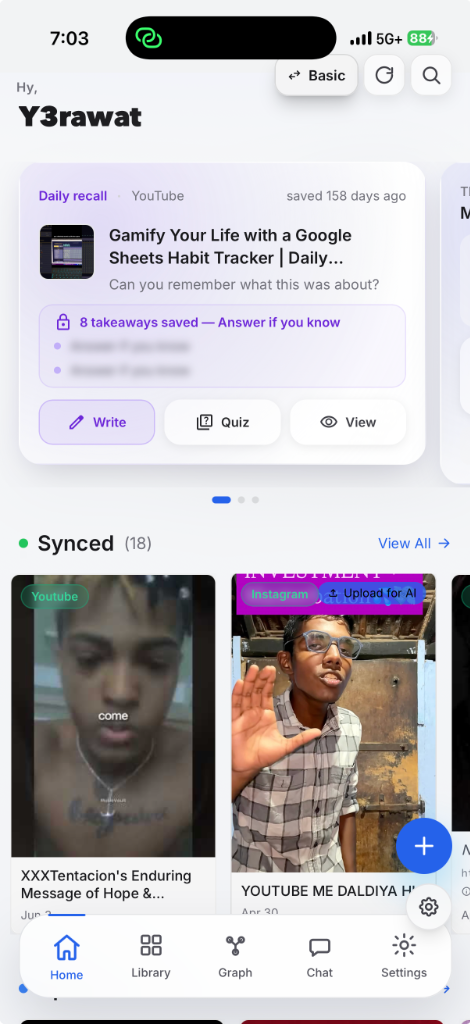
Every save gets a card. Successfully processed content gains deeper searchable context.
You save and forget. Feeds clutter, and links die.
The native "Saved" folder is the same thing as a junk drawer. You drop something in. You never open it. Months later you can't remember what's in there, and the search box only looks at the title — which you didn't write. And if creators delete their posts or lock their accounts, the original links may stop working.
A general AI assistant does not automatically have your cross-platform saved library. MemoryStore can provide selected or approved context when you choose to connect the two.
The fit is strongest when useful knowledge is scattered, video-heavy, and difficult to recall by title.
Save every lecture clip and chemistry short. Search by formula or topic the night before the exam.
Hoard reference reels, hooks, edits. Find “that opening shot a French creator did with rain” in seconds.
Operator podcasts, sales reels, hiring advice. Build a private library of how to run the company.
Talks, demos, interviews. Cite a paper-adjacent clip back to its exact timestamp without re-watching.
Use the problem—not a feature count—to decide.
Choose MemoryStore first when you remember what was said or shown, but not the title or the app where you saved it.
Use it alongside another tool when you write long documents in a workspace but need a better capture and retrieval layer for the sources behind them.
Choose another category first for article highlighting, long-form authoring, public moodboards, local-only knowledge, or regulated evidence retention.
These categories can work together. The important question is where you want future-you to look first.
MemoryStore can complement these tools. Read the complete decision guide before choosing.
Free for casual saving. Upgrade only when you need higher limits or longer uploads.
$0/month
$7/month
or $60/year
Every plan can connect Google Drive for eligible uploaded files. Uploads can stage before later Drive placement, and a social link cannot become a Drive file unless MemoryStore actually receives the media. The current policy says private libraries are not used for model training; AI processing can still use external providers to deliver features you request.
Source platforms provide different levels of access. MemoryStore can prepare deeper transcripts, visual descriptions, summaries, and semantic search when it has usable text, an accessible transcript, or a permitted media file. A restricted social link may preserve only the record and available metadata until you upload an allowed copy.
No. MemoryStore at memorystore.in is a consumer app for saving and AI-searching Instagram Reels, YouTube Shorts, TikToks, links, and uploads. Google Cloud Memorystore is an unrelated managed database service for developers. People sometimes search for us as Memory Store, Memorystore, or MemoryStore app.
Library records and derived knowledge are stored in the MemoryStore service. Both current plans can connect Google Drive for eligible uploads. Normal uploads can first stage in MemoryStore-controlled storage before a separate process places them in Drive. A link-only save does not automatically include a media file. See the current Privacy Policy for processors and retention details.
MemoryStore's current stated policy is that private user libraries are not used to train AI models on Basic or Pro. Delivering an AI feature can still send applicable content to external AI infrastructure under the relevant consent and provider policies.
Official links are published for iOS, Android, the web app, Chrome, Safari, the ChatGPT App, and MCP. Store and client availability can change, so use the download links on this page to check the current listing for the surface you need.
Bookmark tools are often best for a clean URL list, and notes or workspace tools are best for original writing and structured projects. MemoryStore is strongest when you need low-friction capture plus later retrieval from supported video and cross-platform source material. You can use them together.
Think in three levels. The MemoryStore card and recorded context can remain. Successfully captured knowledge, such as a transcript or summary, can also remain. The media itself remains independent only if MemoryStore legitimately received and stored a file, such as an allowed upload. A link-only save cannot guarantee continued playback.
Your normal library is private by default, and account controls include deletion. Google Drive uses its own account and permission model. Connecting Drive is not the same as holding MemoryStore encryption keys, and we do not make a blanket end-to-end-encryption claim here. Read the current Privacy Policy for the approved security, processor, retention, and deletion wording.
Manage or cancel a native subscription through the App Store or Play Store account used to purchase it. Refund eligibility and timing follow the current marketplace policy. If you have trouble, email hello@memorystore.in.
Yes. Go to Settings → Account → Delete Account and complete the confirmation flow. Files already placed in your Google Drive remain subject to your Drive account and deletion choices. The current Privacy Policy explains any service or backup-retention window. If you run into issues, email hello@memorystore.in.
MemoryStore publishes its product, support, privacy, terms, roadmap, and official access links at memorystore.in. For a support or company question, email hello@memorystore.in.
Processing can support multiple languages, but transcript and search quality varies with language, accent, audio quality, source access, and model support. Check the current app for interface-language availability and verify important passages against the original.
The public roadmap describes future-facing work. A roadmap item is not a promise that a feature is already available or will ship on a particular date. Send priorities or questions to hello@memorystore.in.
The detailed guide separates available, conditional, limited, Beta, and not-currently-public capabilities. If something breaks or an important boundary is unclear, write to hello@memorystore.in.

Every platform has a Save button. MemoryStore exists for what happens next: preserving the context that was actually available, helping you find it by what you remember, and bringing it back when it becomes useful.
See the problems MemoryStore solves, the people it fits, the complete capture-to-revisit loop, current capability status, three durability levels, privacy boundaries, plan limits, and the cases where another category is a better choice.
The official MemoryStore app at memorystore.in — start with one source you genuinely want future-you to find.
Search your library and save clips directly from your desktop browser using Chrome and Safari extensions.
Save Instagram Reels, YouTube Shorts, and TikToks instantly using the native iOS share sheet. Syncs directly with your library.
Capture and search videos on the go. Integrates with the system share menu for seamless, fast saves from any social app.
Free to start · Human-reviewed product guide · hello@memorystore.in
Featured & listed on